Safety paperwork’s not your favourite tool—we get it. This app helps you knock out SWMS, toolbox talks and risk assessments faster than you can say “where’d I put that pen?” Built for tradies who’d rather be on the tools than stuck in the office. Scroll down, have a squiz, and see how it makes safety less of a headache.
Dashboard
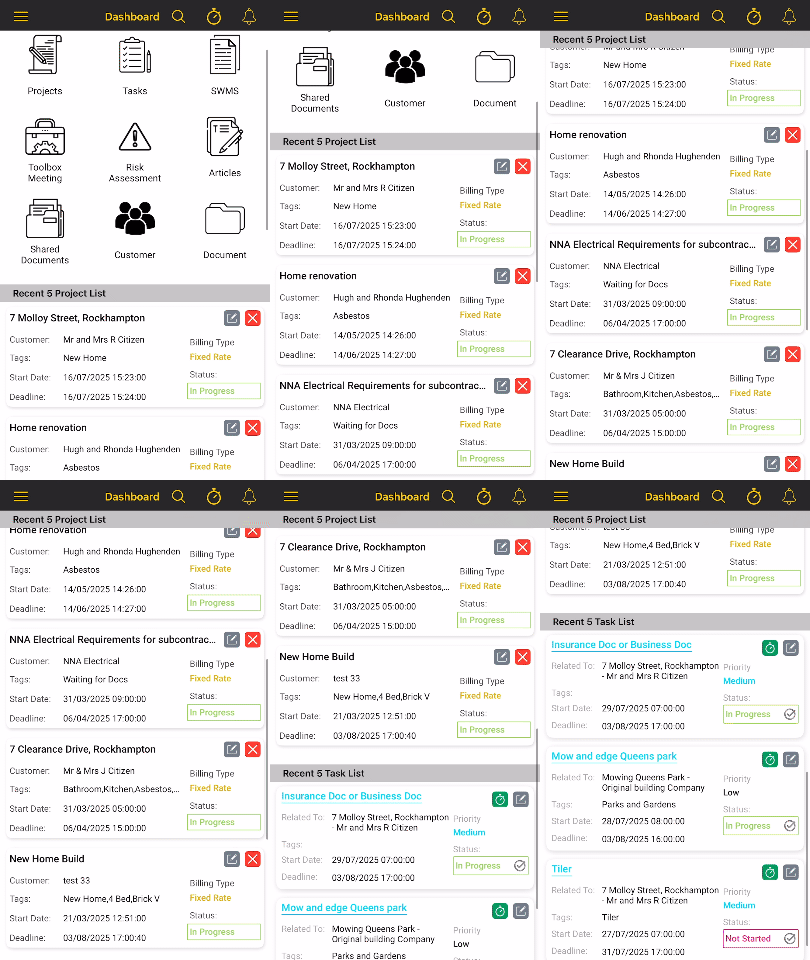
- Launch straight into creating a new SWMS, Risk Assessment or Toolbox Meeting
- Find your 5 most recent Projects or Tasks with a quick scroll or
- Create a new Customer, Project, or Task in just a few clicks
- Check one of your own procedures or policies
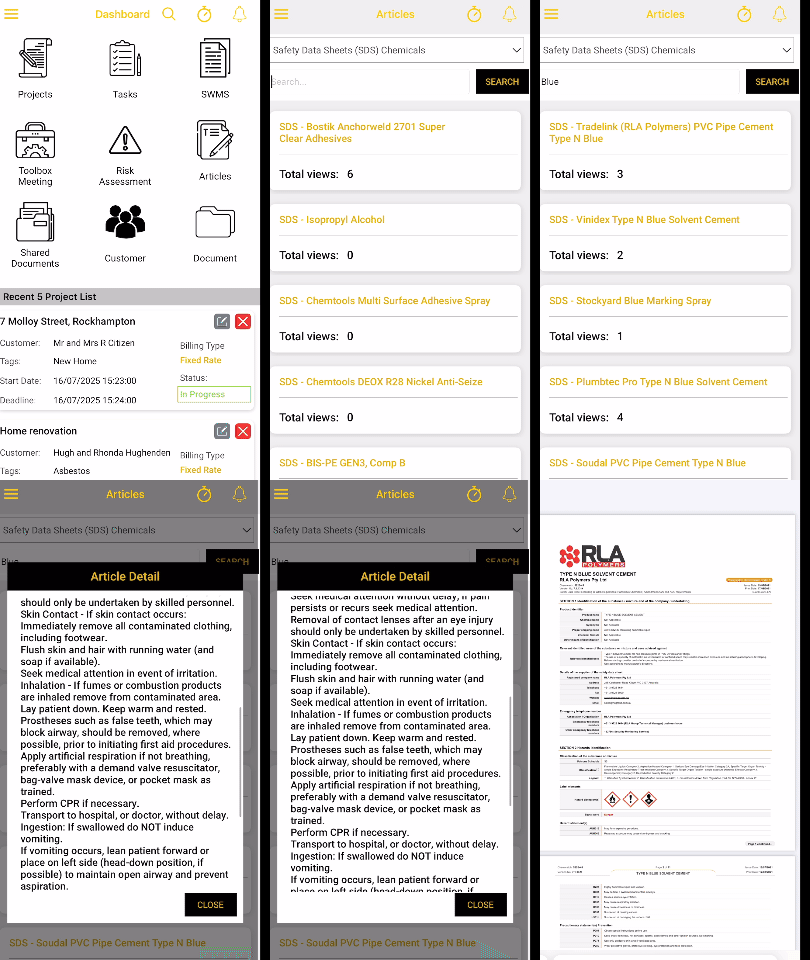
- Search our extensive data base using the Articles tab to find Safe Operating Procedures or Safety Data Sheets
Projects
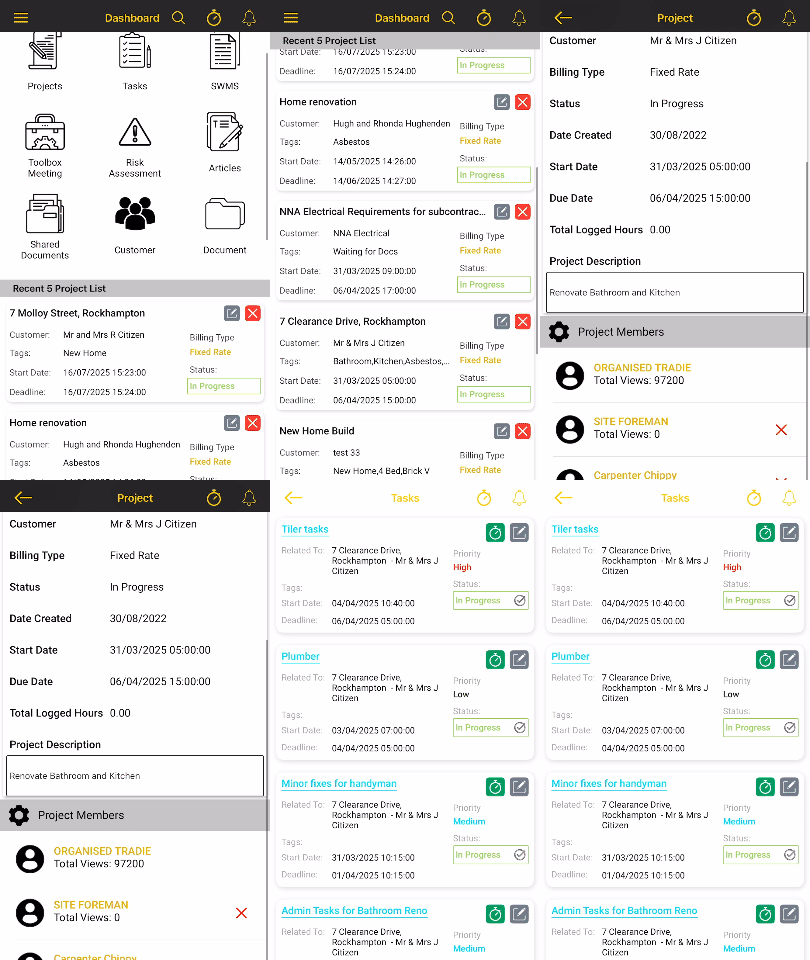
- Create a customer profile and then add their projects keeping it all together
- Add your staff as project members which allows them to see the details
- Select the Tasks button for more details about the project
- All your daily safety documents for this project are completed from here
- Staff can add their timesheets, allocating their day to one task or many tasks
- Step straight into a Vehicle or Equipment Pre-start
- Keep track of projects using our status button:
- Not Started
- In Progress
- Waiting for Information
- Waiting on Materials
- Waiting on Variation
- On Hold
- Ready to Invoice
- Cancelled
- Finished
Tasks
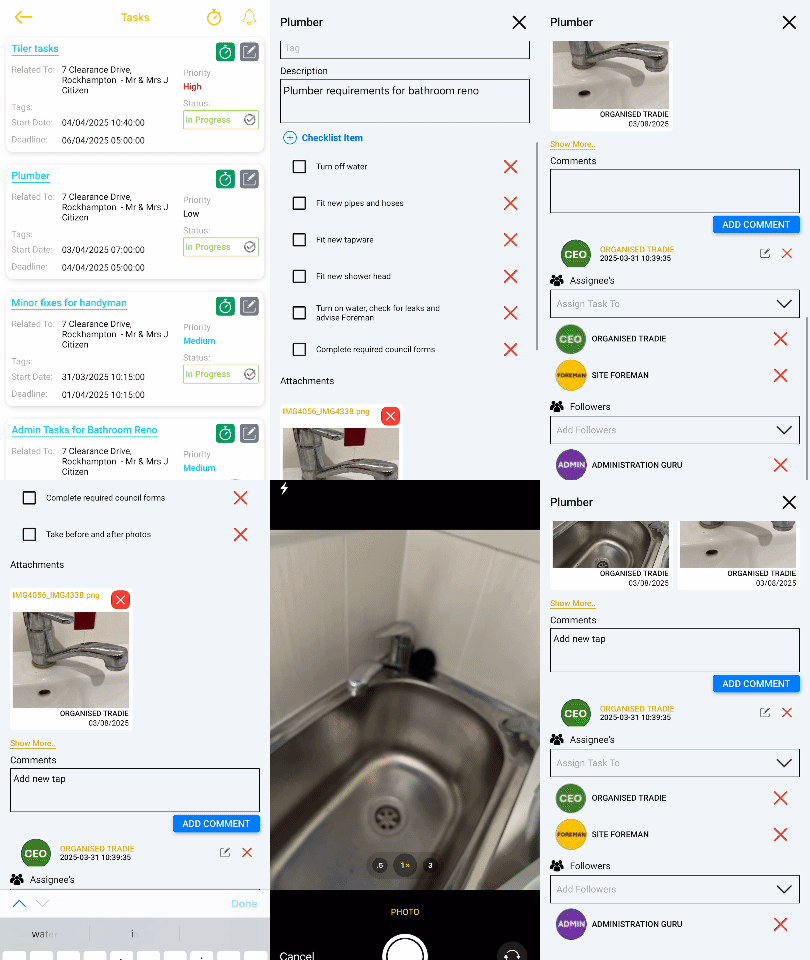
- Break your project into smaller more detailed tasks
- Assign tasks to your staff so they can see the details
- Use a task to communicate with your team
- Add documents such as plans and scope of works
- Take photos
- Add a checklist for the finer details
- Keep track of tasks using the status button
- Use tasks to build a Gantt Chart for the project
Safe Work Method Statements (SWMS)
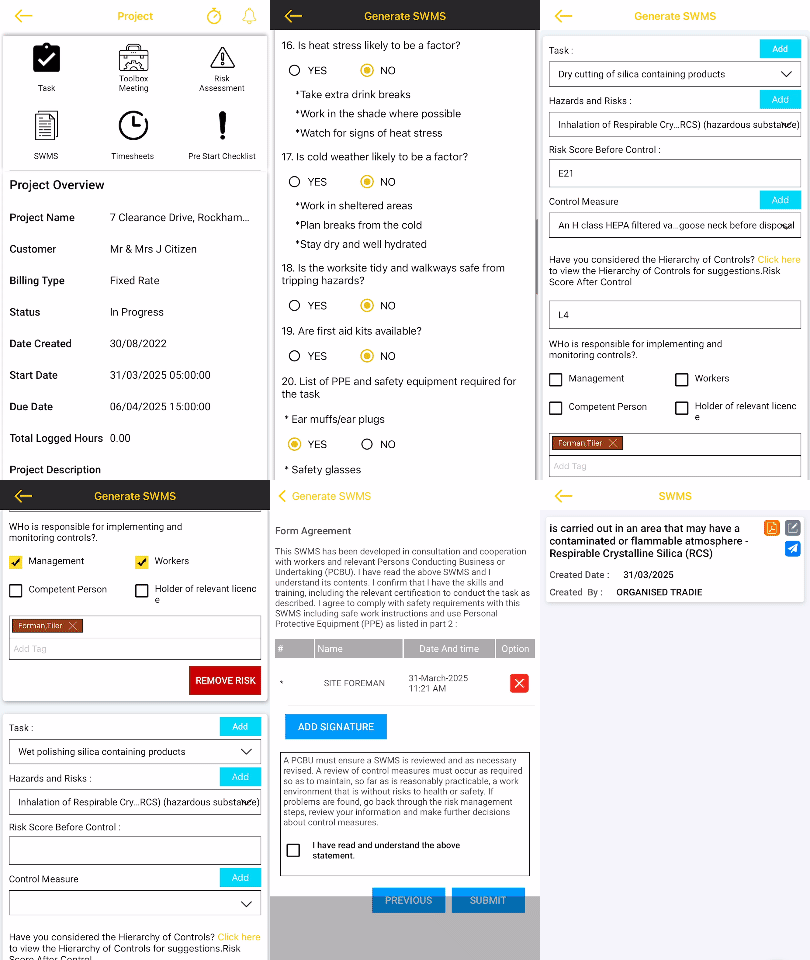
- Follow our step-by-step process to create a SWMS easily on your phone or desktop
- Keep your SWMS short and relevant to the high risk activity
- Sign your SWMS using your username and password
- Copy a SWMS from one project to another, review, and revise before resigning
- Email your SWMS PDF from the app
- Print your SWMS to take to site if needed
- Review your SWMS as needed
Risk Assessments
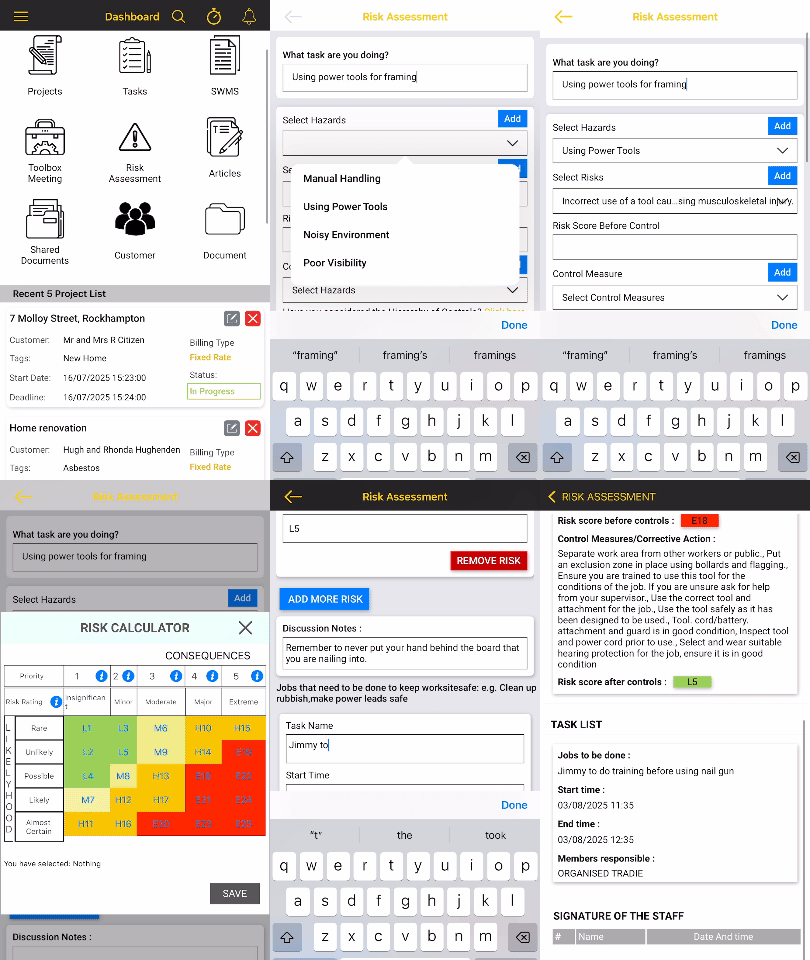
- Follow our step-by-step process to create a Risk Assessment easily on your phone or desktop
- Keep your Risk Assessments short and relevant to the activity
- Sign your Risk Assessments using your username and password
- Email your Risk Assessment from the app
Toolbox Meetings
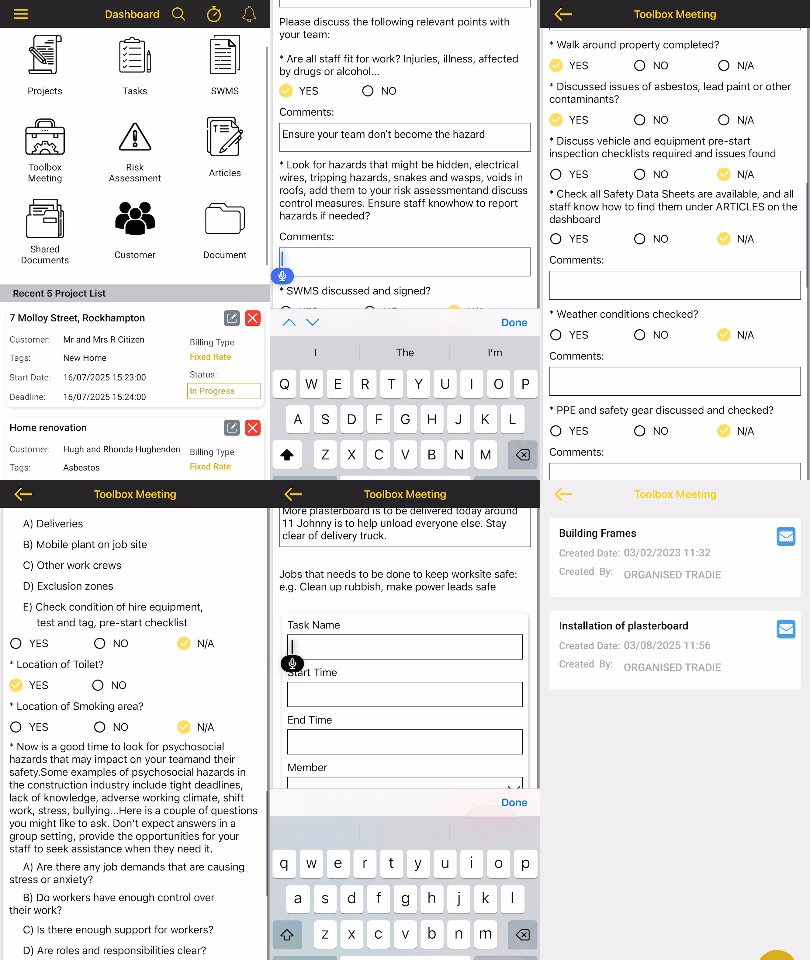
- Our Toolbox Meetings are a set questions that make you think about the job ahead
- Assist your team with consultation and communication requirements
- Sign using your username and password
- Email your Toolbox Meeting from the app
Safety Data Sheets
- Easily find Safety Data Sheets for your hazardous substances
- We currently have over 350 Safety Data Sheets in the database
- Simply text a photo of a Hazardous substance you would like added to the data base